
A Graphx product

Add your photos. The card designs itself.
Picsha Cards is a white-label photo-card storefront for photo retailers. A customer adds photos; the Picsha brain reads them, spots the occasion, keeps the best shots, and hands back finished cards to choose from — their own pictures already framed in designer-made artwork, with room for their message. You choose which designs your store offers, and you can add designs of your own. Under your brand, at your prices, printed in your lab. The same storefront sells photo calendars. Free to sign up. Powered by Picsha AI.
Get your storefront Try the live demo →
What the brain does that a template picker can’t
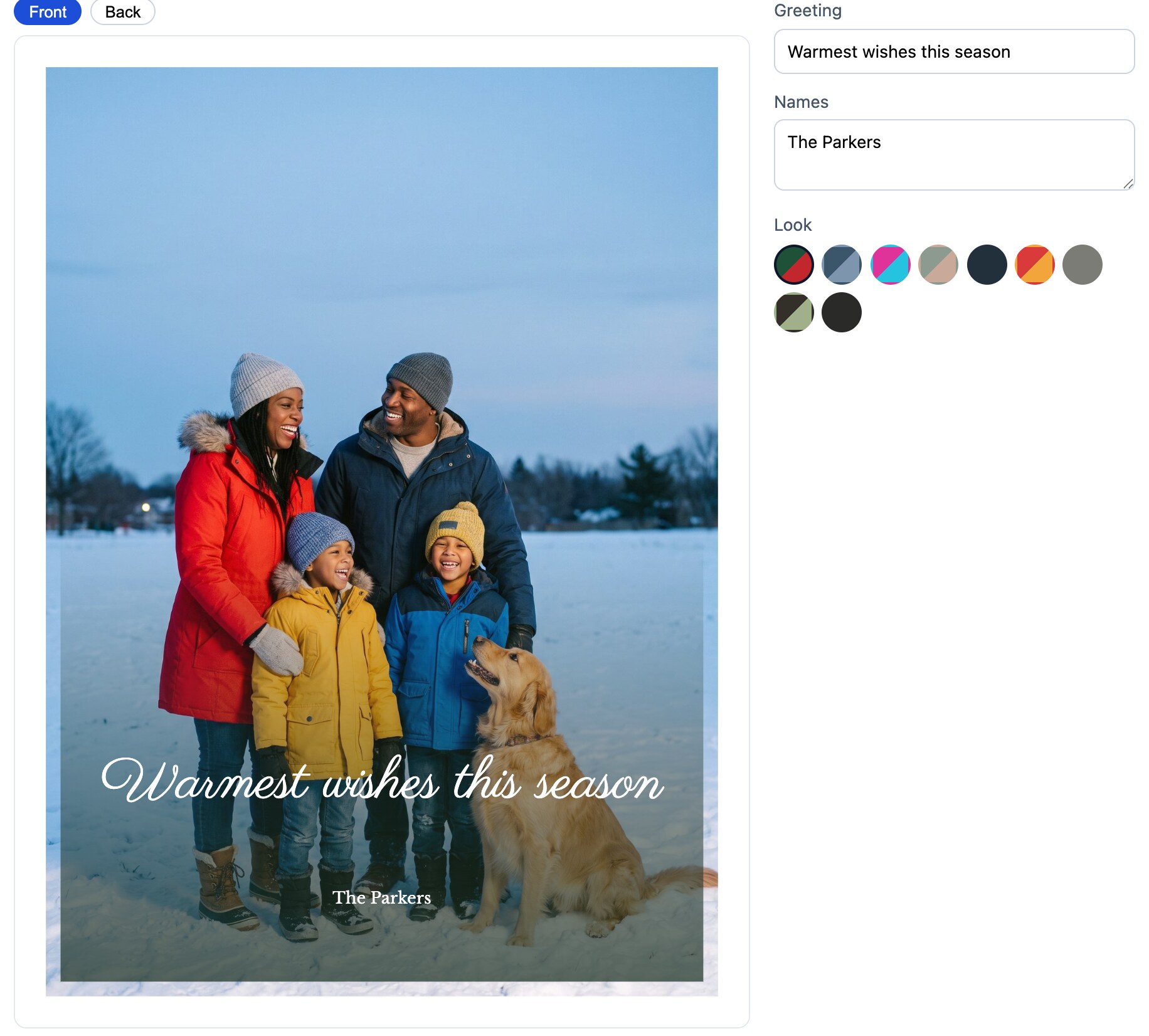
Most card sites start with eighty thumbnails and a blank photo box. Picsha starts with the photos. The brain reads them, picks the designs that suit them, and the customer’s first look is a finished card — not a decision tree. Every other design is still one tap away, with their own pictures already in it.
Reads every photo
Sharpness, faces, and subjects — the brain scores each photo and puts the best ones on the card, keeping the rest out of the way.
Spots the occasion
Holiday, birthday, wedding, graduation, a new baby, a thank-you — the customer can say what it’s for, or the brain reads it off the photos and designs for it.
Designs, plural
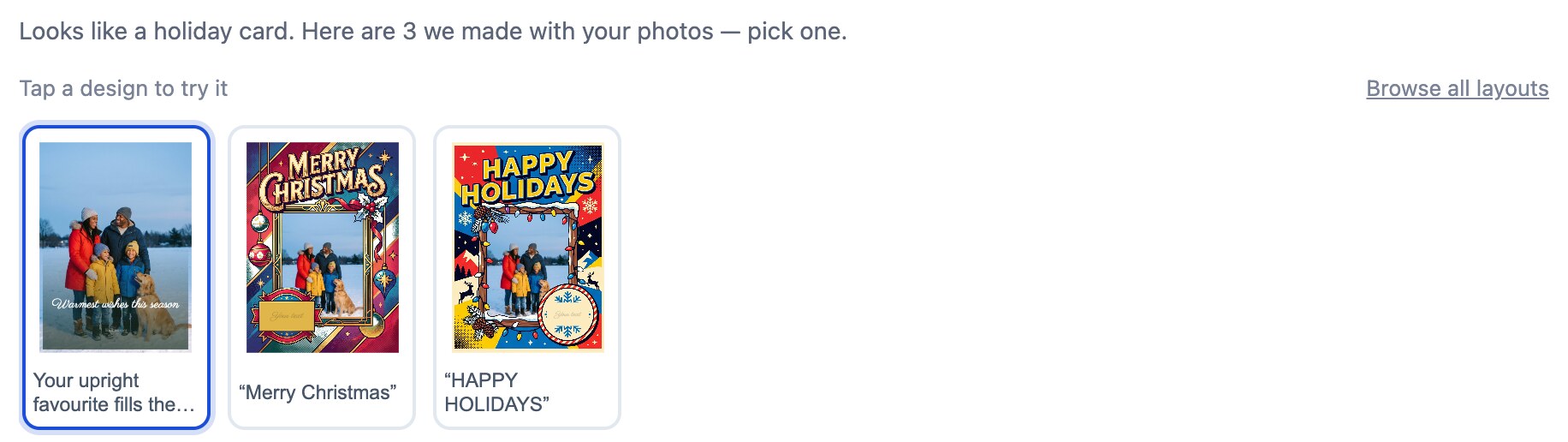
Several finished cards to choose between — different artwork and layouts, each one picked to suit these photos, with the rest of your catalog right behind them.
Keeps faces in frame
Every photo opening is framed around the people in it — no forehead on the trim line, no groom cropped out of the wedding card.
Words that fit the design
The customer’s message is set in type chosen for each design and sized to fit the space; on the full-photo cards the brain drafts the greeting, and the customer can rewrite it in a click.
The preview is the print
The card on screen is composed by the same code that renders the lab file — what the customer approves is exactly what your press prints.
How it works for your customer
1. Add photos — that’s the hard part done
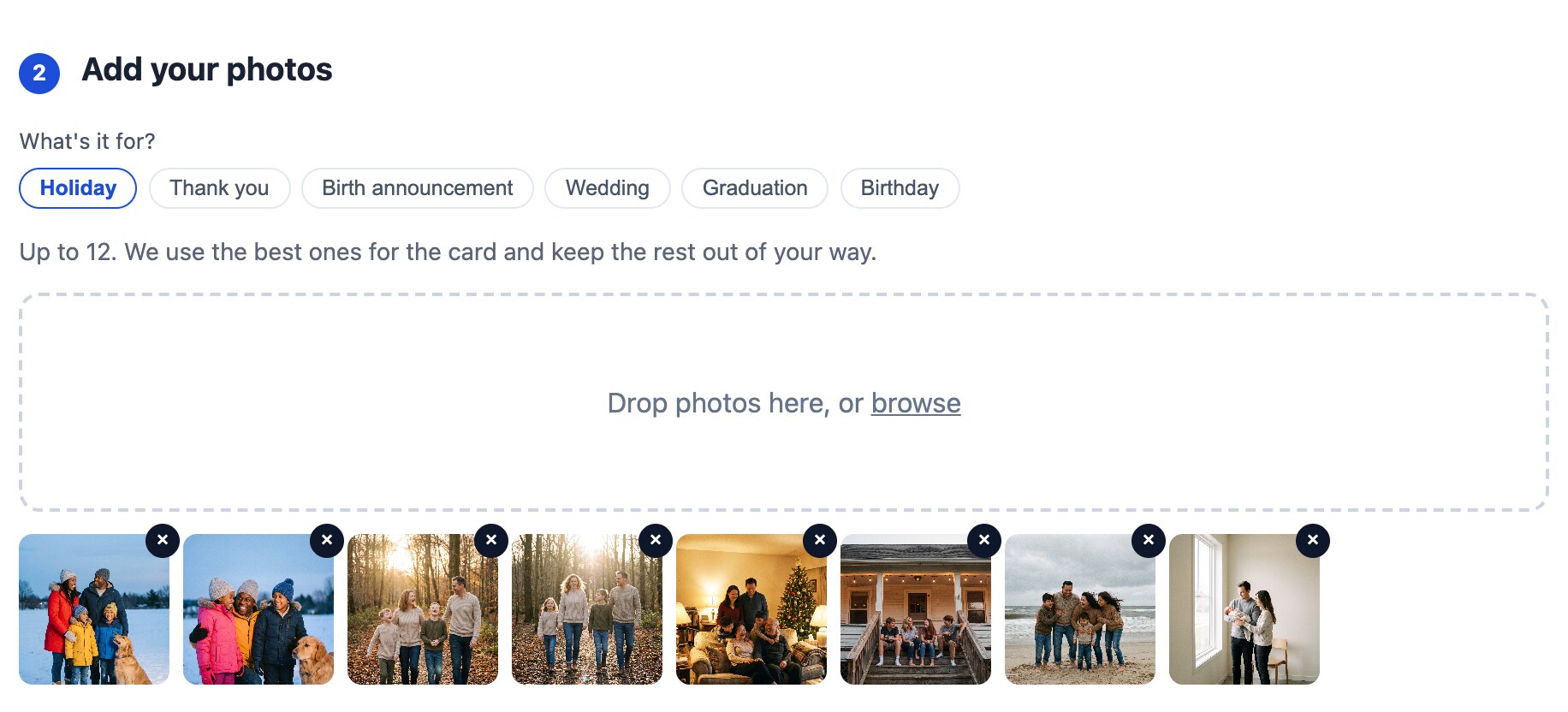
Up to 12 photos straight off a phone’s camera roll, and what the card is for. No accounts to create, nothing to install.
2. Pick a card, make it theirs
The brain hands back finished designs, and every other design is there too, shown with their own photos — pick one, swap a photo, write the message. Every change previews exactly as it will print.
3. Order a stack — or a calendar
Flat or folded, in the quantities you offer, paid online at your prices — and picked up at your counter with envelopes. Calendars are bought the same way, one or a dozen at a time — a full year on one sheet, or a cover and a photo for every month.
Your designs, your shelf New
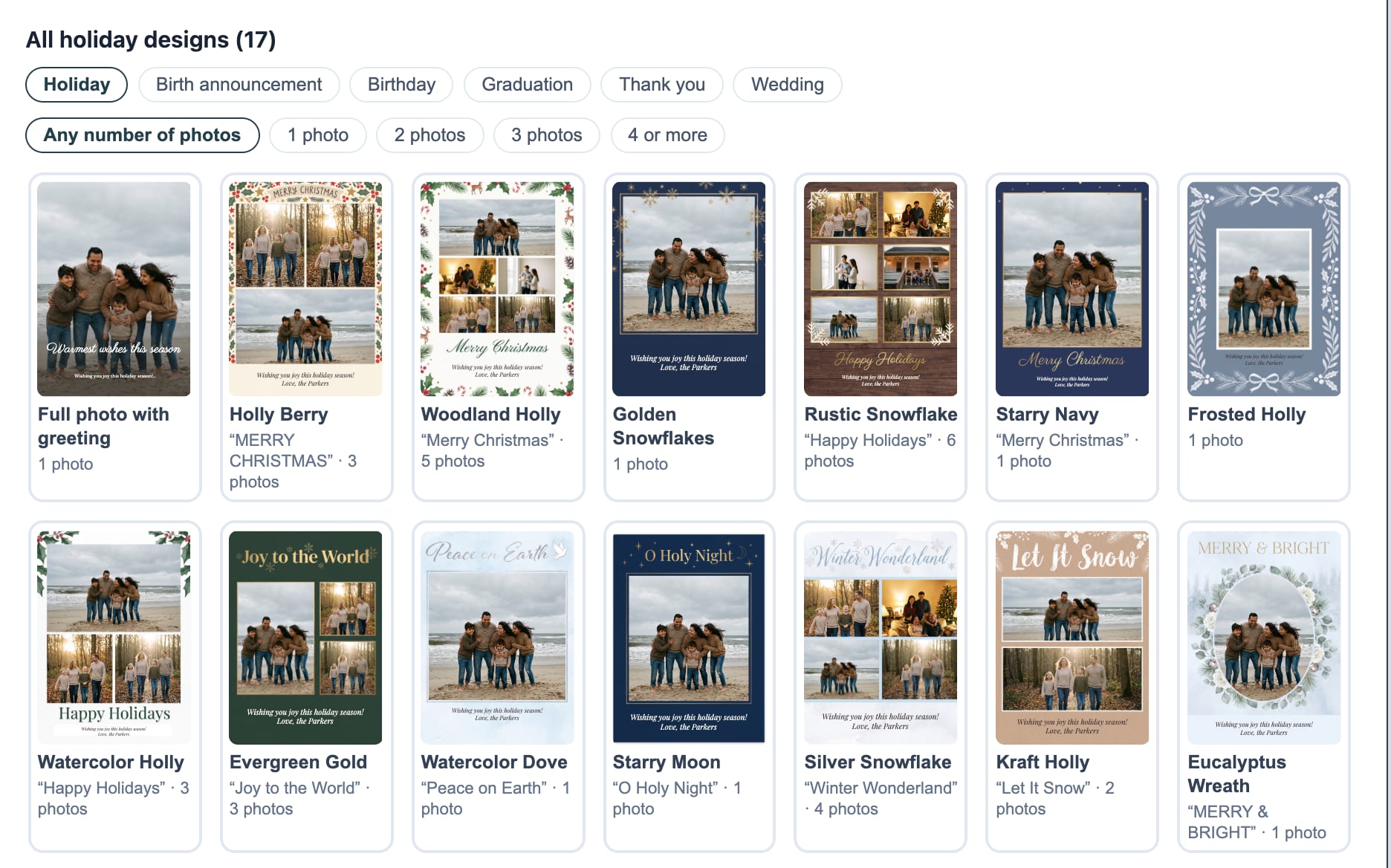
Every store starts with a library of designer-made cards from Graphx — including this season’s hand-picked holiday collection, in portrait and landscape — with new designs added through the year. You decide which of them your customers see, and you can sell designs of your own right beside them.
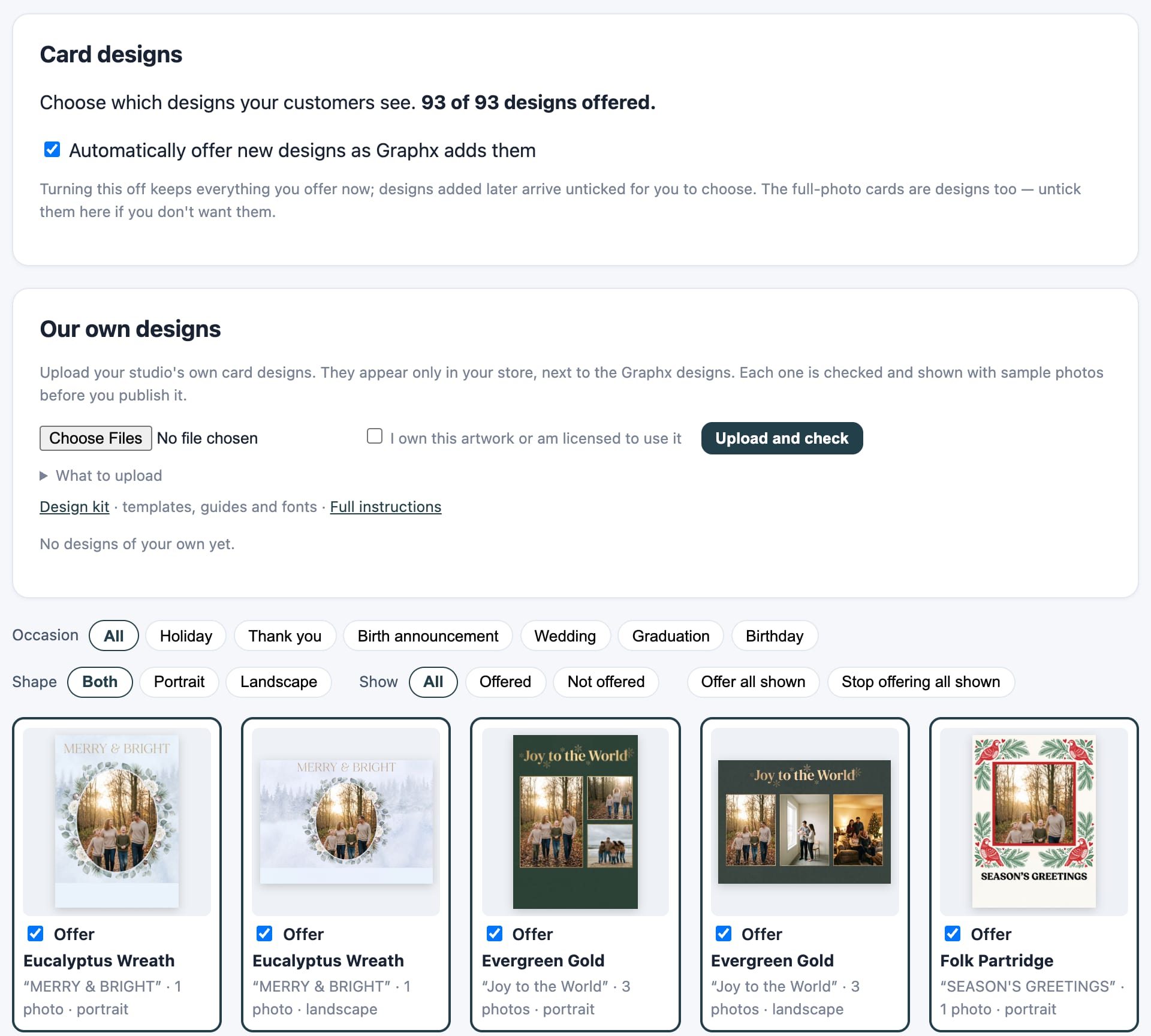
You choose what’s on the shelf
Tick the designs you want to sell. Filter by occasion and shape, offer or withdraw a whole set at once, and have new Graphx designs arrive on your storefront automatically — or switch that off and choose each one yourself.
Sell your own designs
Your studio’s holiday card, a local artist’s work, or a design you made with an AI image tool: upload it, and the photo windows and the space for the message are found for you. Check it with sample photos, publish, and it sells in your store only. The design kit and spec are free to download.
Browse before the photos
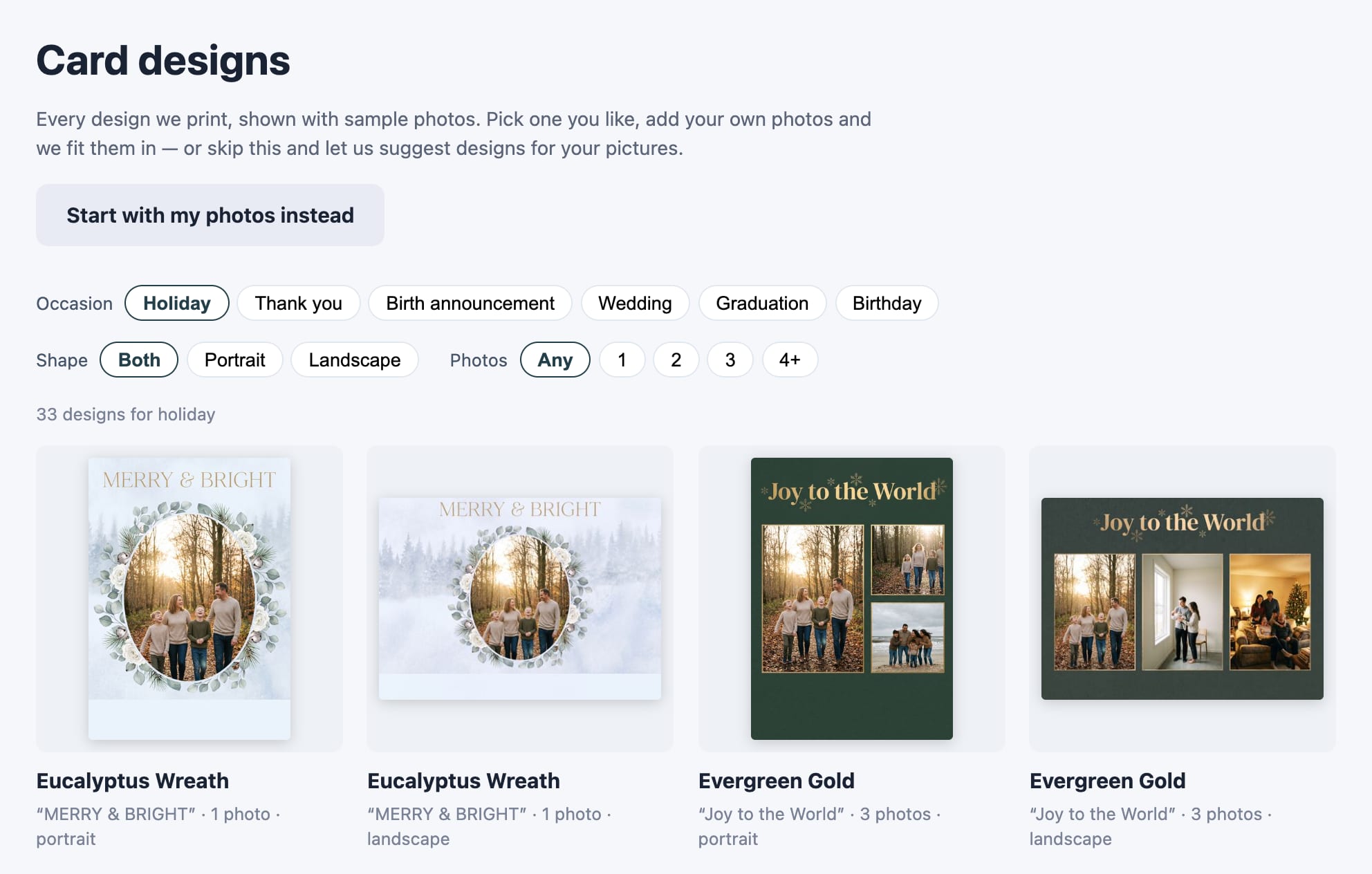
Some customers want to see the cards first. A Browse designs page shows every design you offer with sample photos; they tap the one they like, add their pictures, and it’s filled in for them.
It sells photo calendars too New
Two kinds, both on photo paper from the lab you already run. A single-sheet calendar puts one photograph and the full year on an 8×10 or 11×14 — an 8×10 calendar is an 8×10 print, nothing to bind, nothing new to order in. A monthly calendar is the one people picture: a cover and twelve month leaves, one to three photographs over each month, thirteen sheets you print and wire-o bind at the counter.
A photo for every month New
The customer picks a cover, then works through the pages by name — one, two or three photographs on each, any of them swappable — with up to 40 photos to draw on. Every leaf prints its own year, holidays are marked by name, and each day has a box to write in.
Starts in any month
The question every counter gets asked. A calendar bought in July can run August through July — the heading says so, each January carries its year, and the holidays come from the right year on each side of the boundary. A January-only calendar is a six-week product; this one sells all year.
Three designs, every palette
Photo above the months, larger months with a smaller photo, or the photograph filling the sheet with the year washed over it — each in any of the eight looks, picked the same way a card is.
US holidays, and their own dates
Federal holidays marked in the design’s accent color, weeks starting Sunday or Monday, and the customer’s own birthdays and anniversaries picked out on the sheet.
8×10 and 11×14, either way
Both kinds in both sizes, priced per calendar rather than per pack, and sold one at a time or a dozen for the family. You set every price.
Files you already know what to do with
JPEGs at the exact size, 300 dpi, no crop marks — one for a sheet calendar, thirteen in order for a monthly — plus the press PDF with bleed and marks. Running Photogize Lab? Point the calendar at the 8×10 print product you already sell and the order lands in your queue, a monthly one as thirteen jobs named to collate.
Off until you switch it on
Calendars are not added to your storefront for you. Offer them from your admin page when you want them, at a price you set, and withdraw them just as easily.
How it works for your store
Your brand, to the pixel
Your own address — yourstore.cards.picsha.com — with your logo, your colors, the card formats you offer, and your prices. Link it from your website, put a QR code by the register, or run it on the kiosk in your store.
Files arrive lab-ready
Every order arrives as an exact-size 300-dpi JPEG for each printed side — a 5×7 is exactly 5″ × 7″, no crop marks — plus a PDF with bleed and crop marks for a press. You choose, per size, which one you print from, and whether a flat card carries your store’s mark on the back. No re-laying-out, no guessing what they approved.
Straight into Photogize Lab New
Run Photogize Lab? Connect your account and every paid card order drops into your Lab’s harvest queue the moment its files are ready — one job per printed side, named Front of Card and Inside of Card (or Back of Card) the way Lab expects, with the pack size as the copies. No downloads, no re-keying.
Order status and tracking New
Move each card order from Received to In production, Ready for pickup, or Shipped with one dropdown. Paste the tracking number and USPS, UPS, FedEx, and DHL are recognized and linked. Your customer sees a timeline on their order page and gets an email in your store’s name when their cards are ready or on the way.
Zero ops, paid automatically
We set up your branded store in minutes. Connect Stripe and every sale is deposited directly to your bank — no software to install, nothing to maintain.
Private by design
Customer photos auto-delete after 30 days, and no customer accounts are required — nothing for you to manage, nothing for customers to sign up for.
Runs on the kiosk in your store New
Every Picsha storefront has a kiosk mode. Open yourstore.cards.picsha.com/?kiosk=1 on any touchscreen PC and it becomes an in-store photo kiosk — full screen, locked down, and ready for the walk-in customer with a memory card in hand. The photos come off the card, the designs come off the brain, and the customer picks one at the counter.
Reads their card or USB stick
Customers insert a memory card or thumb drive and tap Browse my photos: their pictures appear in a big touch-friendly picker, select-all included. Staff grant the card reader once at setup; customers never see a file dialog.
A keyboard on the screen
No physical keyboard required. A touch keyboard slides up for names, emails, and phone numbers — with the @ and .com keys where they belong — so keyboardless counters work fine.
Customers pay on their phone New
No payment terminal on the kiosk. When the order is ready, the kiosk shows a QR code; the customer points their phone’s camera at it and pays right there with Apple Pay, Google Pay, or a card — the same secure Stripe checkout as online, paid straight into your account. The kiosk sees the payment land and moves on to the next steps by itself. See it in action.
Resets between customers
Walk away, and the kiosk warns, then clears itself back to the start — photos, names, and half-typed emails gone before the next customer steps up. Browser autofill is off, so nobody is offered the previous customer’s details.
Your existing kiosk hardware
Already running a Photogize kiosk? The same Windows PC, touchscreen, and card readers work as-is — Edge in kiosk mode replaces the old shell. We provide the lockdown policies and setup guide.
One kiosk, every product: Picsha Hub gives the kiosk a home screen with one tile per Picsha storefront you carry, and every product returns to it between customers. And SendThePix is built in: customers send photos from their phone and type a six-character code at the counter.
Free to set up. We only earn when you sell.
No monthly fee, no contract, no upfront cost.
You set every price
Each card format and quantity, your coupon codes — all priced by you, for your market.
We take a share of sales
Graphx earns a percentage of each sale — that’s the whole business model. No sales, no cost. See the rate grid →
Your money never touches us
Stripe pays you directly into your own bank account. And if you stop using it, stopping costs nothing.
Be a launch retailer.
Picsha Cards is live. It’s free to sign up — tell us about your store and your lab, and we’ll set up your branded storefront with you. Want to see it as your customers would first? Try Fernwood Photo & Print, our demo store.