
A Graphx product New

A QR code at the door. Every guest’s photos in one gallery — and the gallery sells.
Picsha Events gives every wedding, party, team banquet and Santa weekend a photo gallery under your brand. Print the sign, and guests scan it and add their photos from their phones, with no app and no account. Everyone gets the same gallery, with a search box that understands “first dance,” and at the top of it, a book of the event and the gallery’s photos on your gifts, one tap from your own storefronts. Free for every Picsha store.
Turn it on for your store See a live gallery →
How it works for the guests
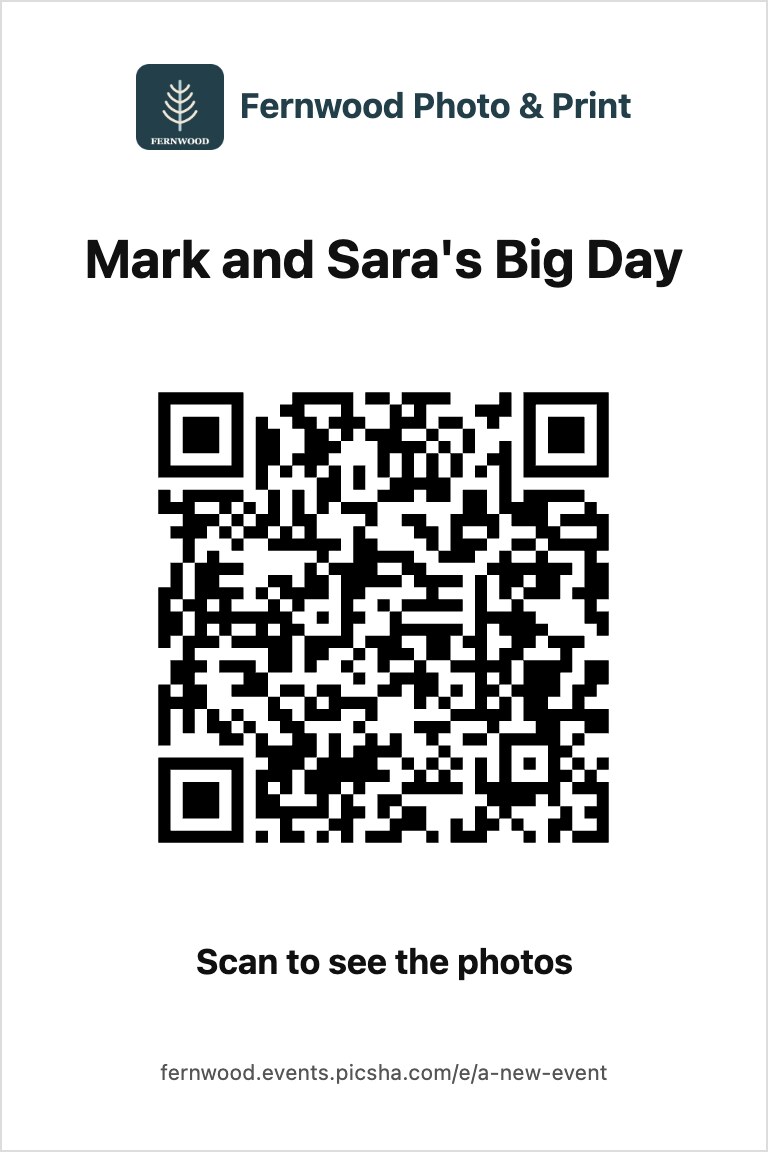
1. Scan the sign
Every gallery comes with a 4×6 sign to print: your logo, the event’s name and its QR code. Put it on the tables, by the guest book, next to Santa’s chair. Or send the link by text or email; it’s the same gallery.
2. Add their photos
Straight from the phone’s camera roll, as many as they like, with their name on them if they want. No app to install, no account, no password. A link can let guests add photos, or only look.
3. Everyone sees one gallery
Photos from every guest and from you, in one place: a full-screen viewer, a slideshow, favorites that remember themselves, and downloads if you allow them. A PIN if the family wants one.
“Take it home”: the gallery sells
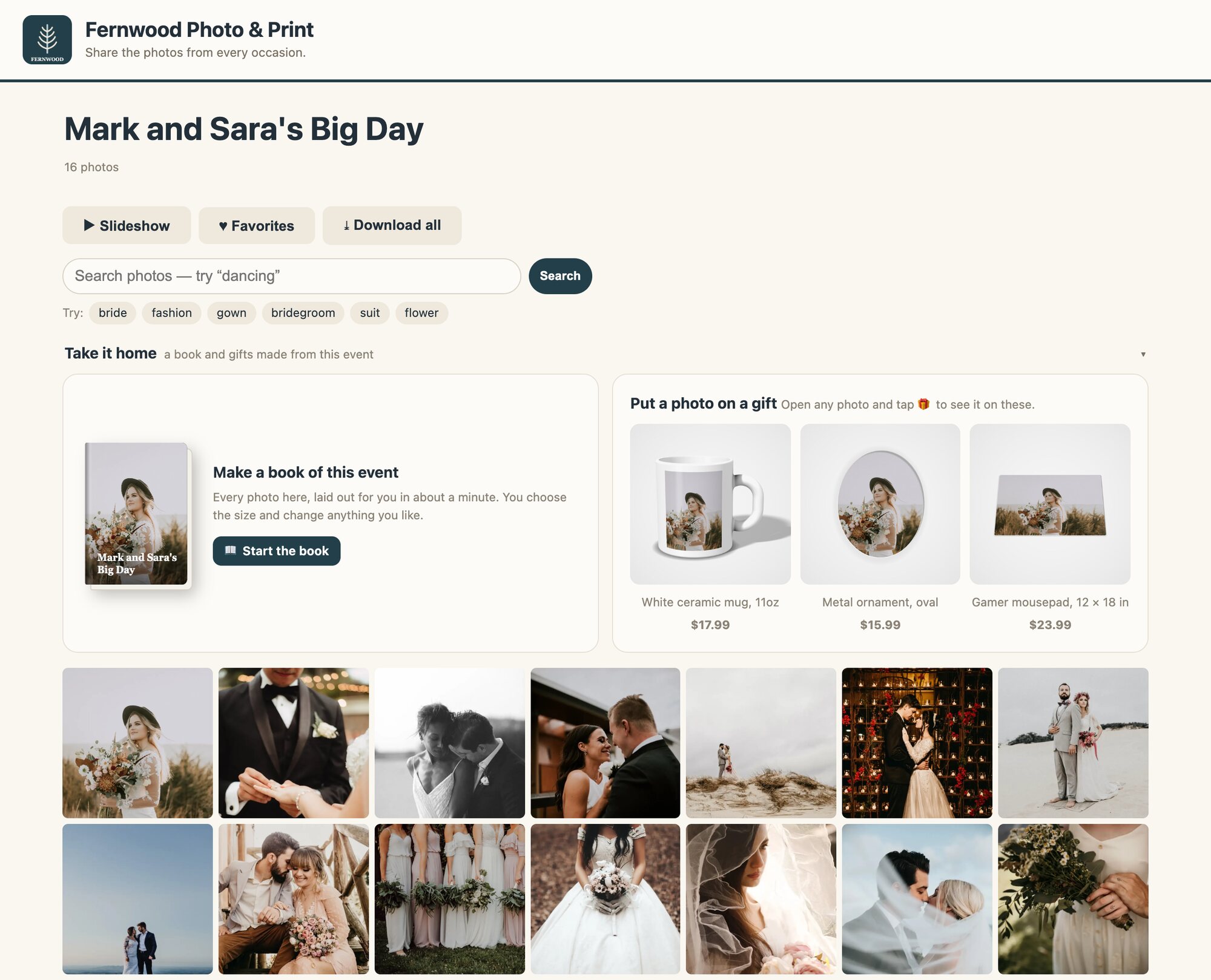
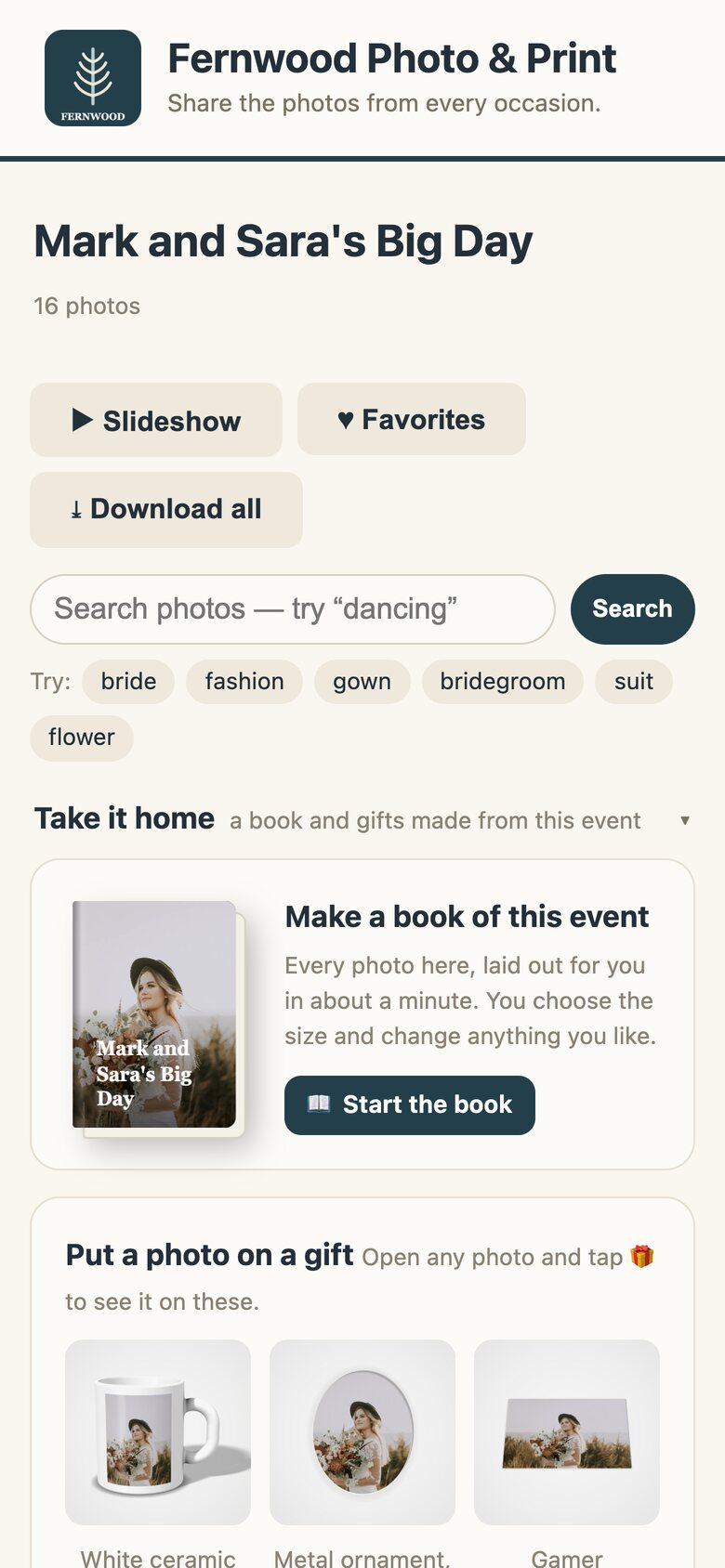
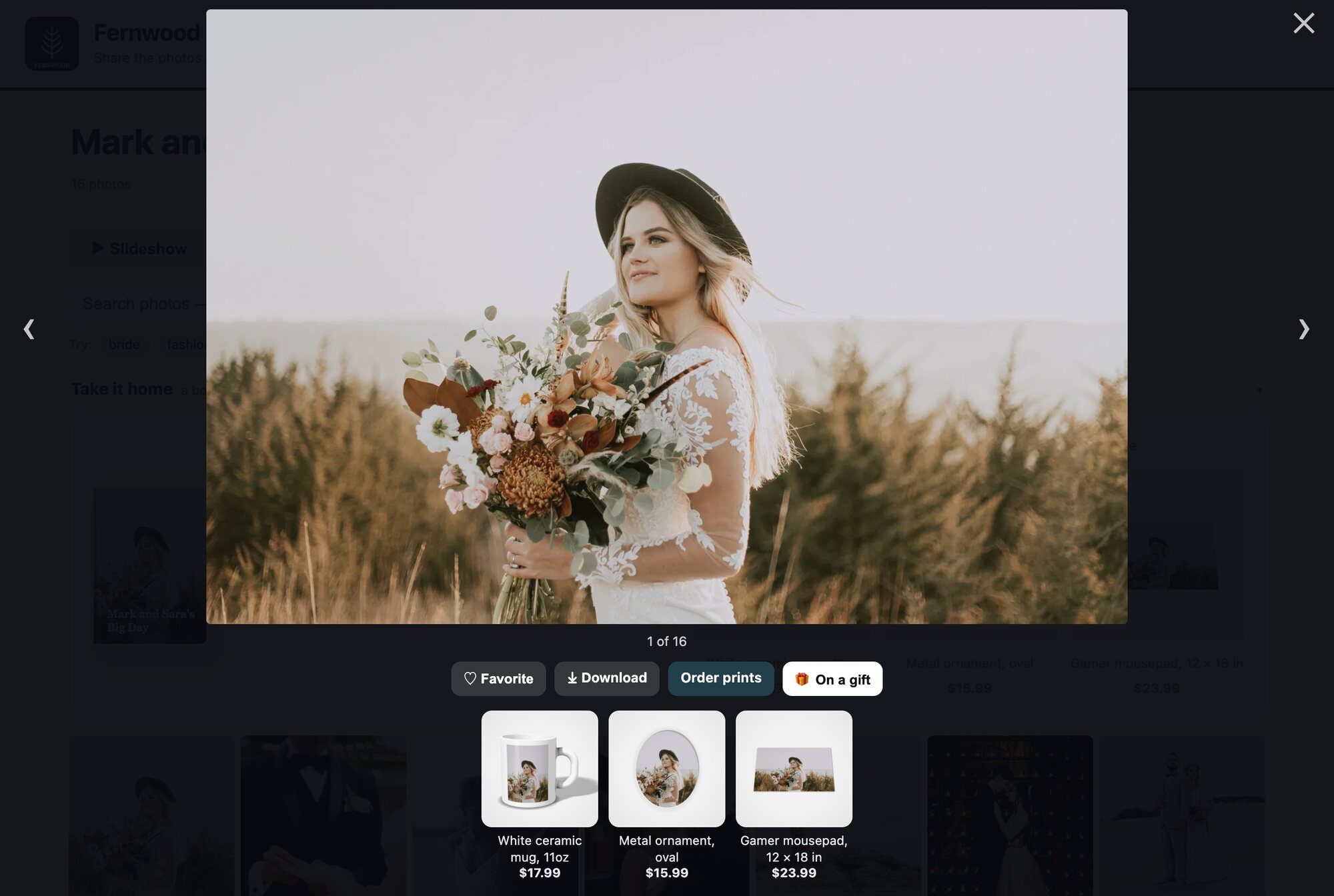
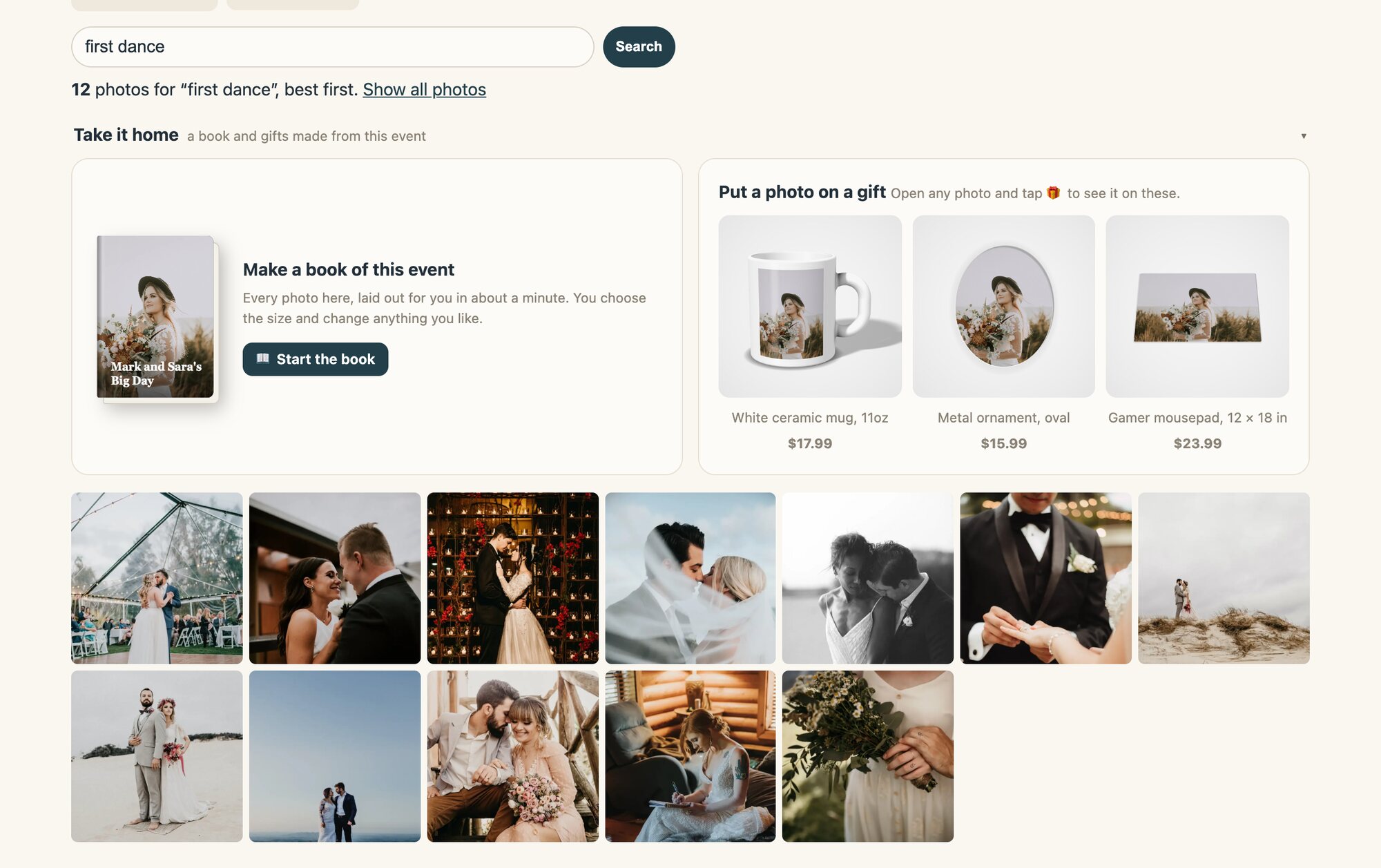
At the top of every gallery: a book of the event, its cover and title already designed, and the gallery’s photos on the gifts you sell. Open any photo and tap On a gift to see that one on them. Every button opens your own storefront with the photos already in it, and the order comes to your lab like any other Picsha order.
The book
Start the book opens Picsha Books with the whole event in it. The Picsha AI designer picks the best shots and lays out every page in about a minute.
Prints
Order prints of one photo, or of everything a guest has hearted, in Picsha Prints, at your sizes and your prices.
Gifts
A mug, an ornament, a mousepad, with the photo already on it, in Picsha Gifts.
No Books or Gifts yet? It still sells.
Picsha makes and ships those orders for you, “Fulfilled by Picsha for” your store, and pays you a 12% referral on every one, straight into your Stripe account. Set up your own Books or Gifts whenever you like and sell them at your own prices.
Search it like they search their phone
Picsha reads every photo as it arrives: what’s happening, the setting, the colors, the words on a sign. So a gallery of a dozen photos or more gets a search box. Type “first dance,” “the cake” or “beach” and the grid shows the photos that match, best first.
Suggestions from the gallery itself
Under the box, a few words to tap, taken from that gallery’s own photos, so guests know what to ask for.
Honest results
Search for something that isn’t there, and it says so, rather than offering the least-wrong photo.
Only what that link may see
Photos you’ve hidden or are still approving never turn up. Nothing searches by face.
The same gallery, for a shoebox
A customer brings in a box of prints or slides. You scan them, upload them, and the family gets a private Shoebox gallery to share with the cousins, open with a six-digit family code.
An archive, not a USB stick
The same search works on scans that never had a file name: “the lake,” “Christmas,” “the old truck.”
Reprints, a book, gifts
Reprints of the favorites, a book of the archive, a photo on a mug for Grandma: all from your store, like any gallery.
The originals, on request
One click emails the family a link to download every scan, at full size. Shoeboxes are kept until you say otherwise, and hold up to 5,000 photos.
A gallery for every kind of event
Pick the kind of event and the sensible settings come with it. Change any of them.
Weddings, parties, graduations, trips
Guests add photos and they show at once. Everybody’s photos, one gallery.
Santa and holiday photos
You take the photos and upload them; families scan the sign to find theirs and order the 5×7, the ornament and the book.
Schools and teams
New photos wait for your approval before anyone sees them. Add a PIN for the parents.
How it works for your store
Your brand, your address
Your logo, colors and theme on every gallery, at yourstore.events.picsha.com, or on your own domain with the custom domain add-on.
You stay in charge
Approve or hide any photo, pick the cover, upload your own. Turn guest uploads, downloads and ordering on or off per gallery. Make a new link at any time and the old one stops working.
Nothing disappears by surprise
An event gallery stays up for a year, or as long as you set, or for good. A month and a week before it closes, you and the host get a reminder with a download link for everything. Then it’s archived, never deleted, and comes back with one click.
Big events, too
Up to 2,000 photos in an event gallery. Near the limit, one button starts a second volume with the same settings and PIN.
See what’s happening
Views, uploads and favorites for every gallery, in your Event Galleries admin.
Already in your Hub
Once it’s on, Event Galleries sits beside your storefronts in your Picsha Hub admin. Galleries are private by link, so your public hub page doesn’t list them.
Free. You earn on what the galleries sell.
Picsha Events comes with Picsha Hub, for every store.
Included with Picsha Hub
Every Picsha store can use it, with no fee and no limit on how many galleries you make.
The orders are yours
Prints, books and gifts ordered from a gallery are ordinary Prints, Books and Gifts orders at your prices, so they count toward those apps and the rate they earn you. See the rates →
Or a referral
Where Picsha fulfills a book or a gift for you, you get 12% of the sale, paid at checkout.
Santa season is six weeks away.
A sign next to the chair, and every family’s photos are in one gallery that sells the 5×7, the ornament and the book. Tell us about your store and we’ll turn Picsha Events on for it. Want to see a gallery first? Open Mark and Sara’s Big Day in our demo store.